The Shello Video is a highly personal video produced by a mermaid/pirate performer for a client. The success of these videos is determined by a number of factors from production professionalism to the amount of personal details included in the performance. This training page outlines everything required to preform and delivery a highly valued Shello to the customer
TECHNICAL SPECIFICATIONS
Cameras
Cellular phones are highly sophisticated these days, regardless of if you have an iPhone, Samsung, or Nokia.. (enough said). If your phone has a quality camera that can film high quality video, then it is a perfect device for filming a Shello.
Audio
Using your camera’s onboard (internal) microphone is fine for Shellos. However, remember that the effective pickup range for such mics is around 2m (one metre). This means that during the talking phase of your video you must be facing the camera and within 2m.
Aspect Ratio
For YouTube Shorts (where your Shello will end up), the perfect aspect ratio is 9:16, which translates to a resolution of 1080 pixels wide by 1920 pixels high. This vertical format is designed for mobile viewing and ensures your video fills the screen properly.
Editing
A cellular editing app should be used to allow for quick and professional editing of your video. This will enable you to remove small ‘hickups’ and join together multiple clips if required. Also a cellular editing app will allow some template branding to be added to the video, increasing its professionalism.
Recommended editing apps
-
InShot:
Known for its user-friendly interface and ease of use, InShot is great for quick edits, adding music, text, transitions, and creating video collages. Download
-
CapCut:
A popular choice, especially for social media content, CapCut offers a wide array of effects, transitions, and editing tools, making it suitable for both beginners and advanced users. Download
-
VN Video Editor:
This app is a good option for beginners and intermediate users, offering a simple interface and a variety of effects and transitions. Download
-
IMovie:
iMovie straddles the line between professional and novice video production for apple users. For instance, it supports 4k and multi-track editing, has an array of filters, and lets you insert free music that automatically adjusts to a video’s length. Download
Shello Duration
The duration of your finished shello should not be more than 90 seconds. If the client has requested numerous details to be included in the performance, a small amount of additional time can be added.
Youtube upload
Your finished Shellos are delivered to customers via youtube on your personal youtube account. To achieve this follow these steps
- Open a YouTube account – open here
- ‘Create‘ a playlist (named Shellos) – select the ‘unlisted‘ option for the playlist
- When complete, upload ‘create‘ your video onto YouTube and place it in your Shello playlist. Make sure your Shello is ‘unlisted‘
- Watch your video, grab (copy) the URL from your browser and use this full URL to post into the Shello Submission form field
PRODUCTION DIRECTION
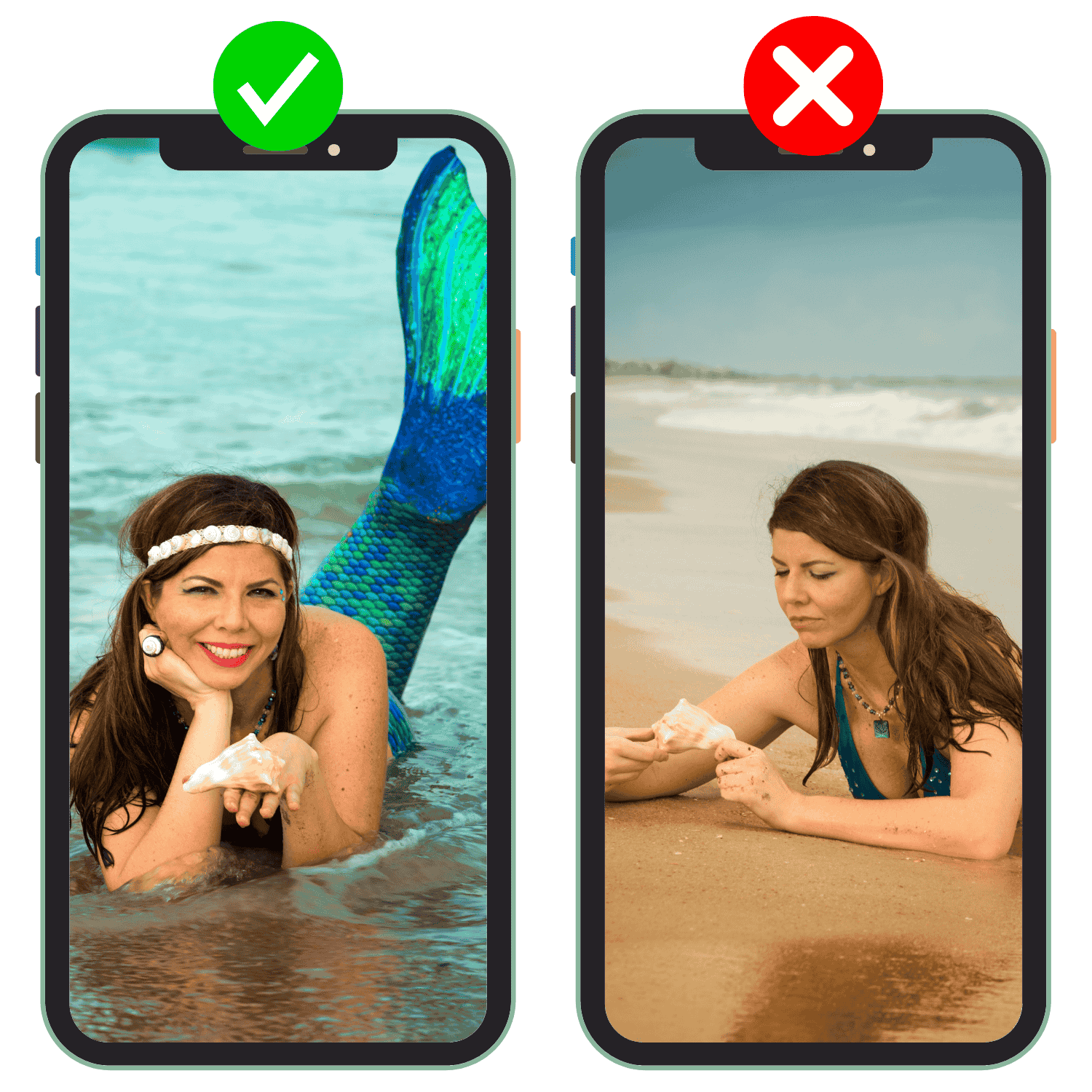
Orientation
Face the camera with your tail directly behind you (flipping away) or directly in front of you. As you are filming in portrait (vertical) mode, you need to be able to keep your tail in shot!
Protip
- Flip your tail occasionally during your talking to increase the illusion that you are a real mermaid.
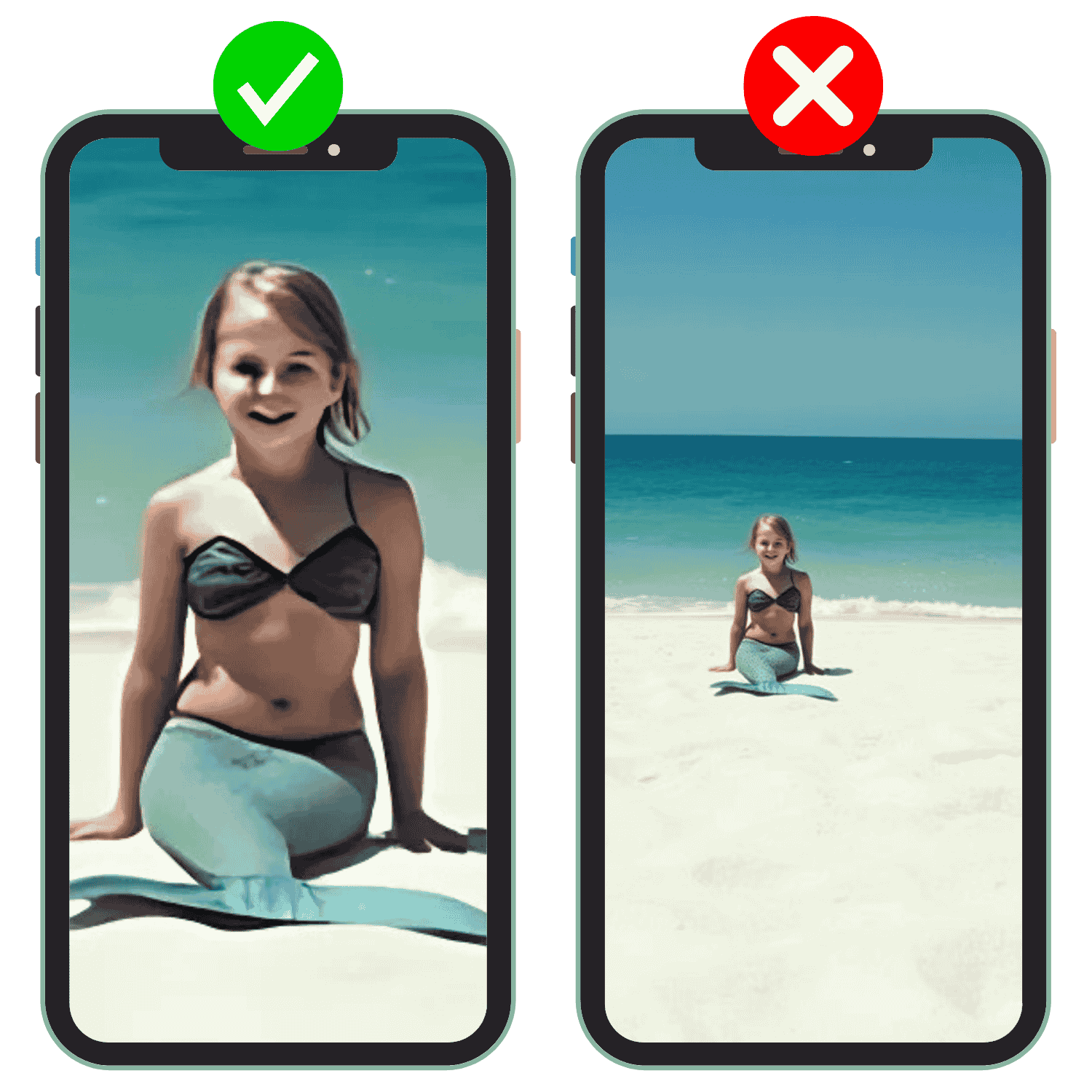
Distance
When you are giving dialogue, you must be close enough to the camera to deliver clean audio with minimal background noise. Ideally you should be 1 – 2 metres from the camera and talking directly to the camera.
Protip
- Listen to the amount of Ambient sound – big waves, strong wind, human chatter will lower the quality of your audio and make the experience poorer for the viewer. Find a calm, quiet spot to film in
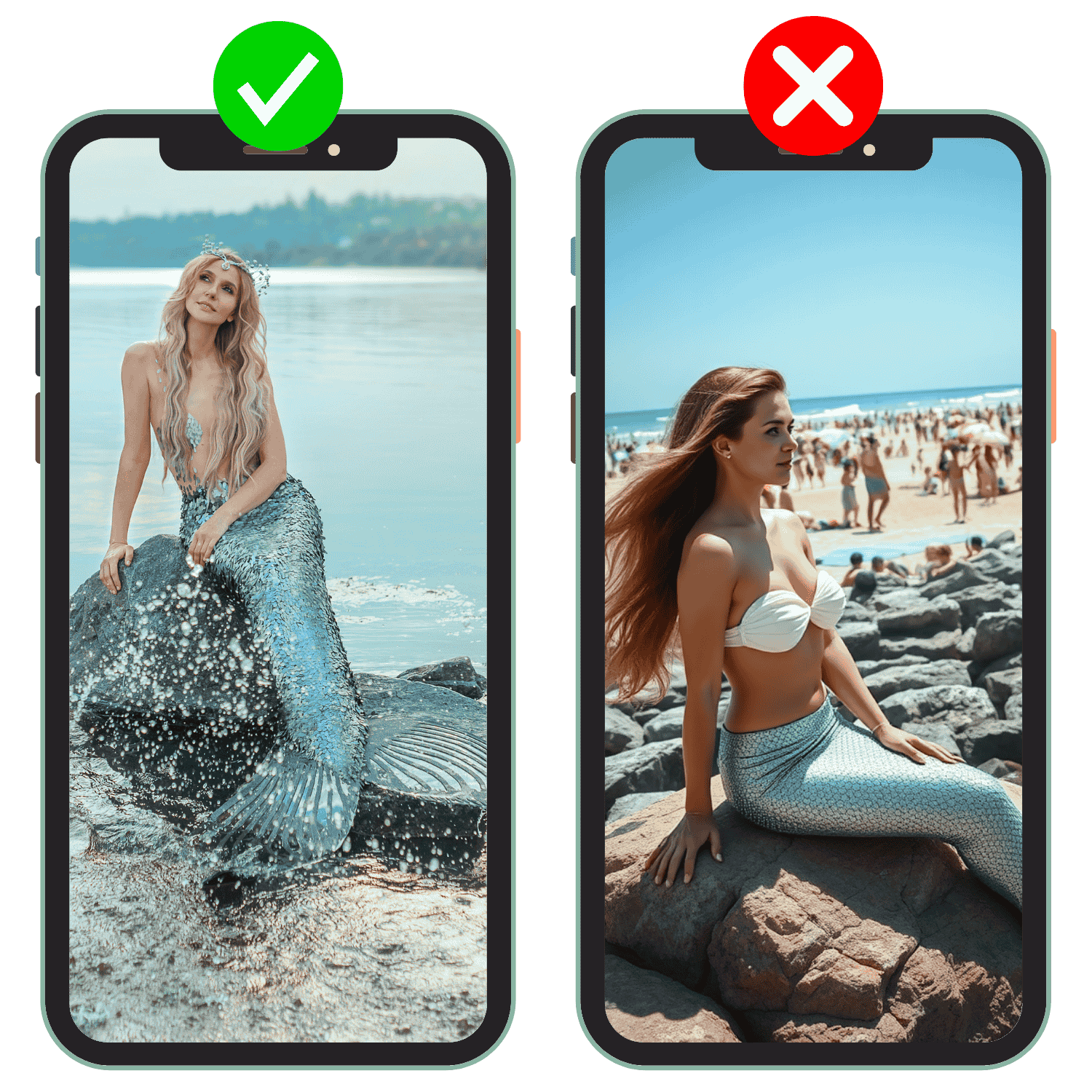
Background
Mermaids should be in nature. Be aware of the background of your shot and minimise evidence of humans. This includes buildings, other humans, fences, vehicles and so forth. Try to have water, bush, mountains, rocks in the background – maximise the illusion
Protip
- Filming is subjective and you can control the background by orienting your camera both vertically and horizontally. Take time setting up your shot to frame out any human evidence.
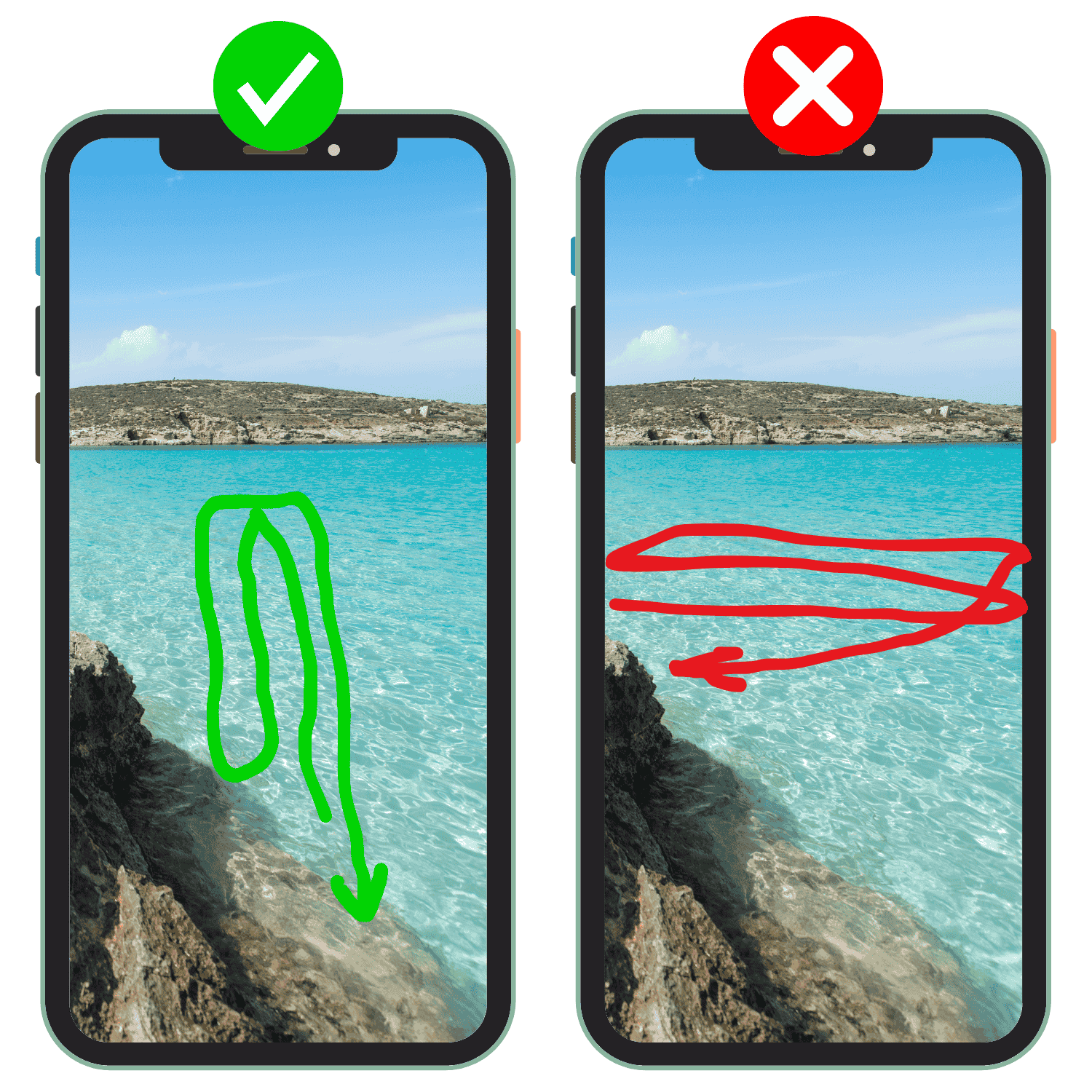
Swim Direction
If your performance involves swimming in water. Swim towards and away from the camera rather than sideways across the camera. With vertical orientation, it is easier for you to stay in shot if you swim towards and away.
Protip
- 1. You may want to swim sideways at the end of shot to exit the frame. This offers a natural end to the film (after a final good-bye wave).
- 2. As you will be shooting from the surface, get your camera as high as possible and shoot into the water. This will allow the viewer to see ‘into’ the water more.